
 The lecture encyclopedia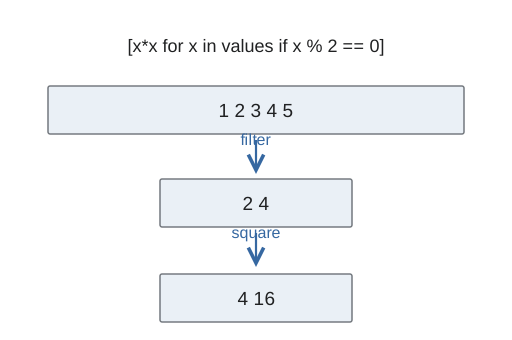
A list comprehension constructs a list by transforming and optionally filtering an iterable. A regular expression describes a text pattern. Together with careful file handling, these tools support repeatable data preparation.
From text to values #
A text file initially supplies characters, not numbers. Read the file, identify separators, convert individual tokens, and decide how malformed or empty entries should be handled. A context manager closes a file when its block ends.
with open("values.txt", encoding="utf-8") as source:
    tokens = source.read().split()
values = [float(token) for token in tokens]
The example assumes every token is numeric. That assumption should be checked or handled explicitly for uncontrolled data. The mean is sum(values) / len(values) only when the list is nonempty.
Comprehension structure #
The expression before for supplies each output element. An optional if filters inputs:[1]
squares = [value * value for value in range(6) if value % 2 == 0]The result is [0, 4, 16]. Filtering happens before the output expression for each candidate. A straightforward loop is preferable when the transformation involves many branches or side effects.
Pattern matching #
A regular expression combines literal characters with special syntax for choices, repetition, and character classes. In Python, raw-string notation helps keep backslashes intended for the pattern from being interpreted first as string escapes.
import re
numbers = re.findall(r"\d+", "item 12, item 305")
This returns strings "12" and "305"; conversion to integers is a separate step. A search finds a matching location, whereas a full-string check requires the entire input to satisfy the pattern. A permissive pattern can accidentally accept only a valid-looking substring inside invalid input.
Testing a cleaning rule #
Test expected matches, expected failures, empty inputs, and boundary cases. A pattern that locates an email-like string is not proof that the address exists or can receive mail. Keep exploratory notebook cells organized so intermediate variables and repeated execution do not hide errors in the actual cleaning sequence.