
 The lecture encyclopedia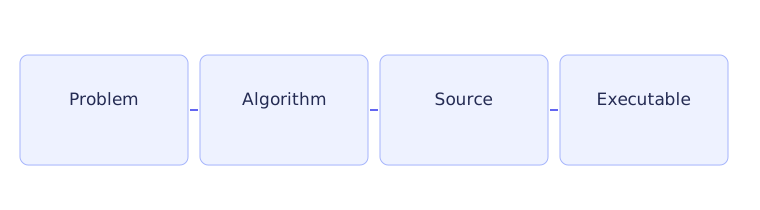
A program is a set of instructions that a computer follows. To write one, first decide what should happen for a particular input. Then express those steps in a programming language. This course uses C++ and begins with no assumed programming knowledge. Read the articles in order; each example uses ideas introduced earlier.
We will start with a journey-time calculation. It is small enough to check by hand, so we can compare what we intended with what the program actually does.
Work out the calculation first #
Suppose a journey covers 90 kilometres at a constant speed of 60 kilometres per hour. The time is distance divided by speed: 90 divided by 60 gives 1.5 hours. The units help check the formula. Dividing kilometres by kilometres per hour leaves hours.
Write the steps in ordinary language: obtain a distance, obtain a positive speed, divide distance by speed, and report the time in hours. This is an algorithm: a sequence of instructions precise enough to follow. For now the program will contain the two numbers directly. A later article will let someone enter them.
Notice the word positive. At zero speed, dividing distance by speed does not give a meaningful journey time. Deciding what inputs make sense is part of designing the program, before we write the division. The example below uses a valid speed; it does not yet contain an input check.
A requirement states what the program must do, such as report time in hours. An implementation choice states how we will organize that work, such as printing a prompt or placing the formula in a function. Keeping these separate helps us notice when a working piece of code still misses a requirement.
Read the program from the outside in #
A function groups instructions under a name. The function named main is where execution begins in an ordinary hosted C++ program.[1] Hosted here means a program running in an environment such as an operating system, rather than some special embedded environments.
The standard library provides useful features such as console output. A header makes their declarations available to the compiler. The line starting with #include includes the input/output header. The name std::cout identifies the standard library's output stream, which sends text to the console in a usual terminal run.
#include <iostream>

int main() {
    const double distance = 90.0;
    const double speed = 60.0;
    const double hours = distance / speed;
    std::cout << hours << " hours\n";
    return 0;
}
The opening brace begins the body of main; the final closing brace ends it. Within the body, execution proceeds through the statements in order. A semicolon ends each declaration or expression statement here. Blank lines and indentation help us read the structure; they are not additional instructions.
Follow the values one statement at a time #
A variable is a named object that stores a value. The declaration of distance creates a variable named distance, with the value 90.0. Its type is double, a type used for numbers that can have fractional parts. The word const means this variable cannot be assigned a new value after its initialization.
The next declaration creates speed with value 60.0. Now both values needed for the calculation exist. The declaration of hours evaluates distance divided by speed and stores 1.5 in another constant variable.
The output statement then sends that stored value to std::cout. It also sends the quoted text containing a space, the word hours, and a newline. A newline moves the following output to a new line. The resulting display is 1.5 hours.
Finally, return 0 ends main with a success status for the environment. The zero is not the calculated travel time. Printing the result and returning a program status are different actions. A program could calculate 1.5 correctly and never display it if we omitted the output statement.
Compile, then run #
Save the source text as journey.cpp. Source text is what we edit. Compilation checks and translates it; linking combines the compiled pieces and needed library code into an executable that can run.
With an installed C++ compiler and a Unix-style shell, compile using c++ -std=c++20 -Wall -Wextra -pedantic journey.cpp -o journey. The input filename identifies the source. The output name is journey. Run it with ./journey from the directory containing that executable.
A compiler error can report invalid syntax or an unknown name. A linker error can report a called function whose definition is missing. A runtime error occurs while the executable runs. A logic error means the program runs but does the wrong thing. Successful compilation therefore does not prove that the journey calculation is correct.
After changing the source, compile again and check that compilation succeeds before running. If an older executable remains after a failed build, running it can misleadingly show the old behavior.
Practice with explained answers #
Change the distance to 150 kilometres and the speed to 75 kilometres per hour. Predict the result before compiling. The division is 150 divided by 75, so expect 2 hours. Comparing against this hand calculation checks the result independently.
Next, consider changing only the printed word from hours to minutes. The number would still be 2 because the calculation has not changed. Two hours is 120 minutes, so a correct conversion must multiply the time by 60 as well as changing the label.
These habits carry into CS2 Lab 1: identify the formula, decide which inputs are valid, calculate an expected answer, compile the changed source, and compare the output with that answer.